> ## Documentation Index
> Fetch the complete documentation index at: https://lightdash-docs-many-to-many.mintlify.site/llms.txt
> Use this file to discover all available pages before exploring further.
# Creating multiple projects
> With Lightdash, you can have a single organization (e.g. Lightdash), and multiple projects within that organization (e.g. Production, Jaffle Shop, etc.)
## Create a new project
Only users with organization admin permissions can create new projects.
To create a new project, click on `settings` --> `project management` --> `create new project`.
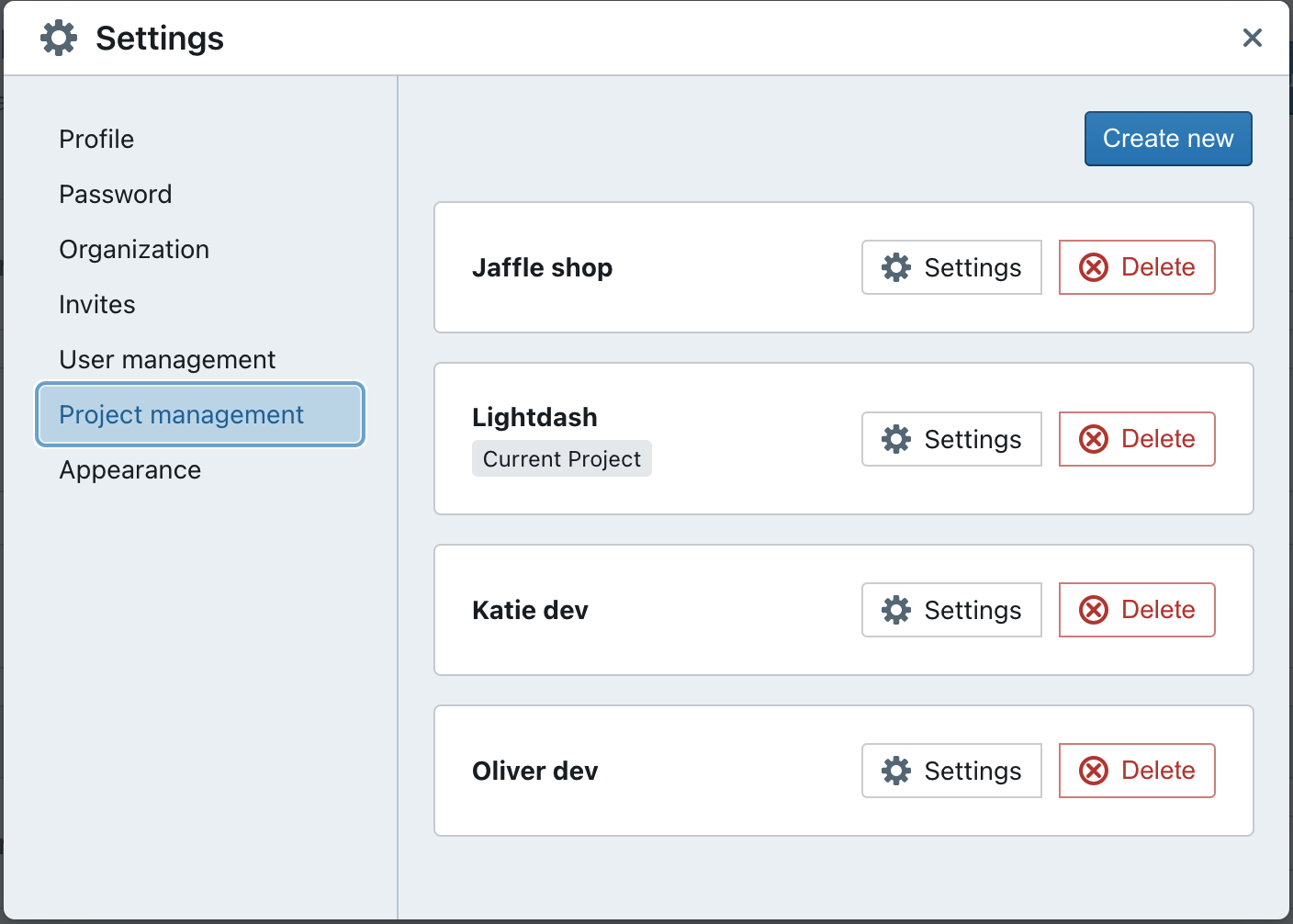 Give your project a nice, new name, then get started on setting up the dbt and warehouse connection.
## Set up the dbt + warehouse connection
You'll need to define the dbt and warehouse connections for your new project.
Not sure what it all means? Don't worry, we've written [a step-by-step guide](/get-started/setup-lightdash/connect-project) that will help you out.
## Easily switch between projects
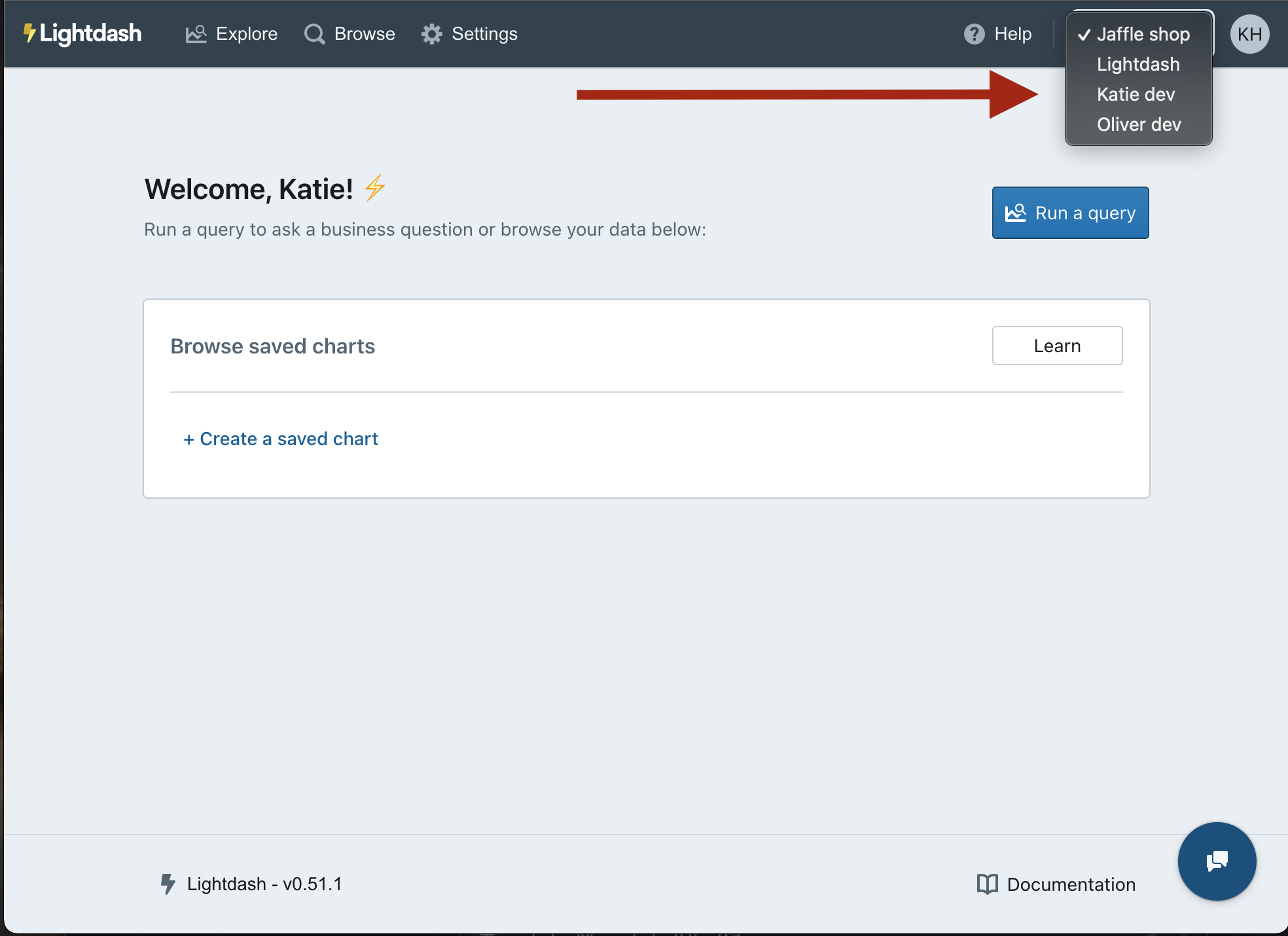
Once you've got multiple projects set up, you can easily switch through the projects in your organization using the drop-down list in the top corner of your screen.
Give your project a nice, new name, then get started on setting up the dbt and warehouse connection.
## Set up the dbt + warehouse connection
You'll need to define the dbt and warehouse connections for your new project.
Not sure what it all means? Don't worry, we've written [a step-by-step guide](/get-started/setup-lightdash/connect-project) that will help you out.
## Easily switch between projects
Once you've got multiple projects set up, you can easily switch through the projects in your organization using the drop-down list in the top corner of your screen.
 ## Go to the project management settings to delete a project
Don't need a project anymore? That's okay - you can easily delete a project in the project settings space.
## Go to the project management settings to delete a project
Don't need a project anymore? That's okay - you can easily delete a project in the project settings space.
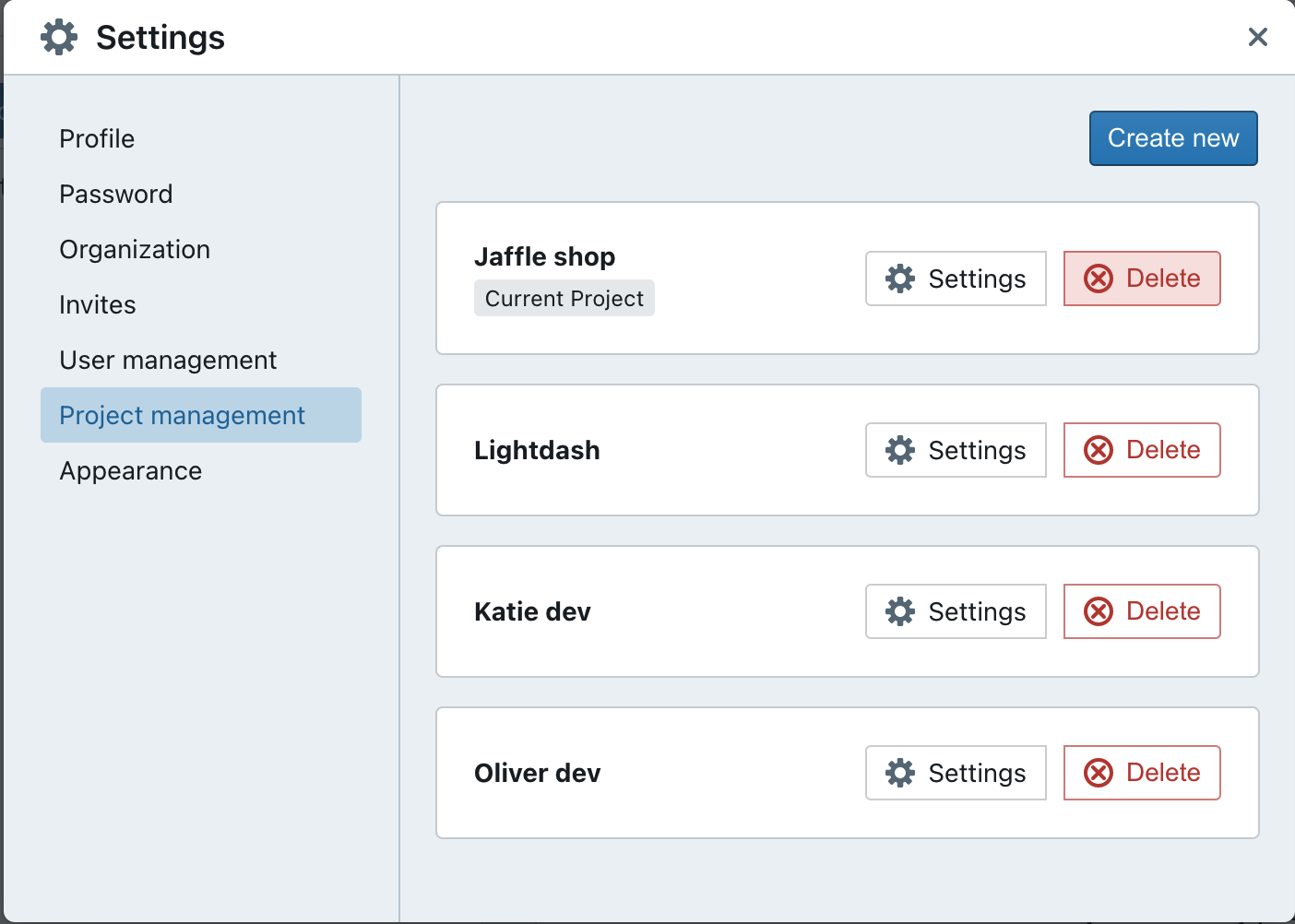 Only users with admin permissions can delete projects.