> ## Documentation Index
> Fetch the complete documentation index at: https://lightdash-docs-many-to-many.mintlify.site/llms.txt
> Use this file to discover all available pages before exploring further.
# Percent of group/pivot total
> The percent of the group/pivot total will give you the percentage of each value in a group out of the total sum of the values for that group.
[Just gimme the code! ](#here's-the-sql-you-can-copy-paste-to-calculate-the-percent-of-the-grouppivot-total)
Here's an example of a percent of the total group/pivot:
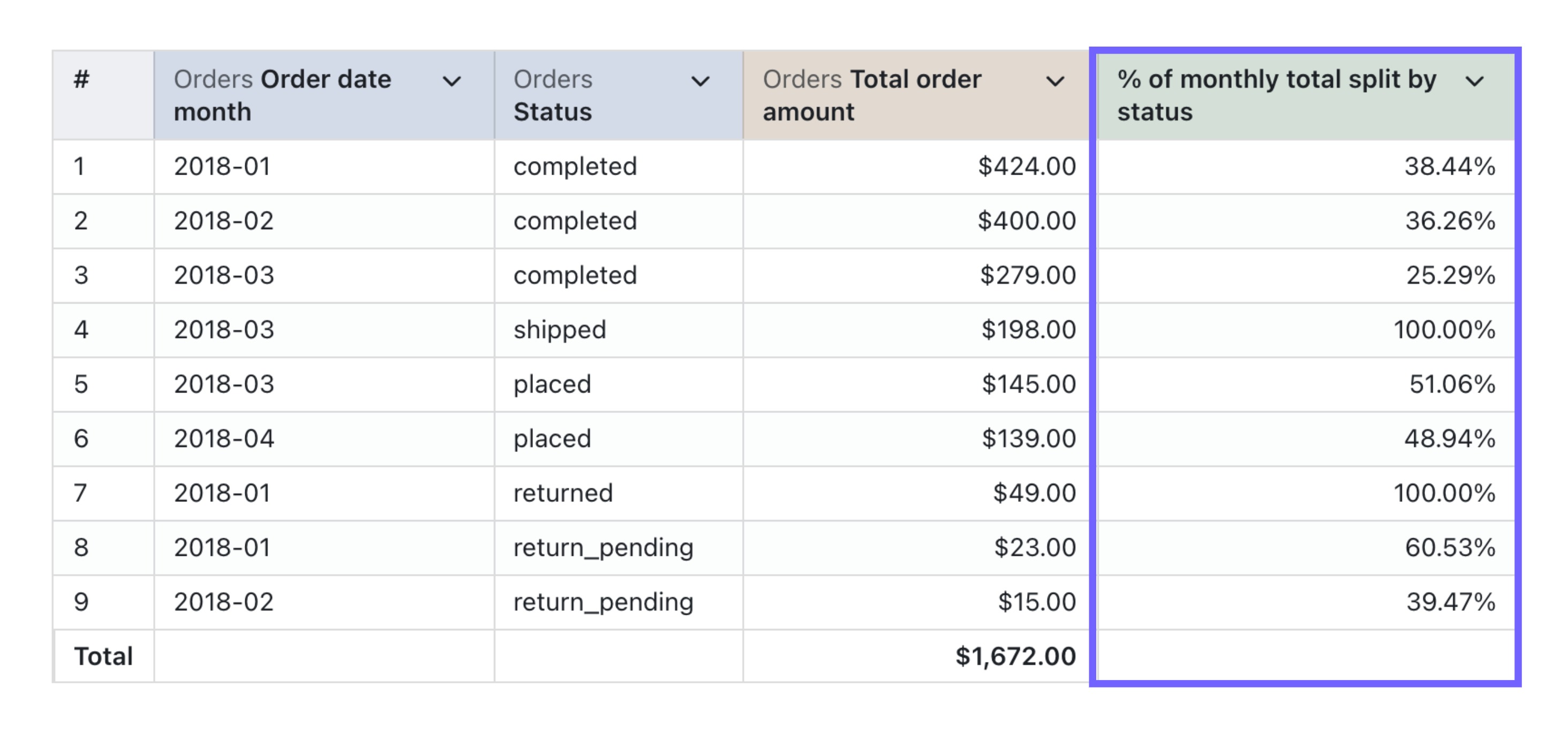 And here's the SQL used in the table calculation:
```sql
${orders.total_order_amount} /
SUM(${orders.total_order_amount}) OVER (
PARTITION BY
${orders.status}
)
```
In general, the SQL used for calculating the percent of the total has two important columns:
* `column_i_want_to_see_the_percent_of_total` - this is the column that you want to see the percent total of. In our example above, that was the `sum of profit`.
* `column_i_want_to_group_by` - this is the column that you want the total to be grouped by. In our example above, that was the `order date - week`.
### Here's the SQL you can copy-paste to calculate the percent of the group/pivot total
```sql
${table.column_i_want_to_see_the_percent_of_total} /
SUM(${table.column_i_want_to_see_the_percent_of_total}) OVER (
PARTITION BY
${table.column_i_want_to_group_by}
)
```
### Make sure to add percent formatting to your calculation
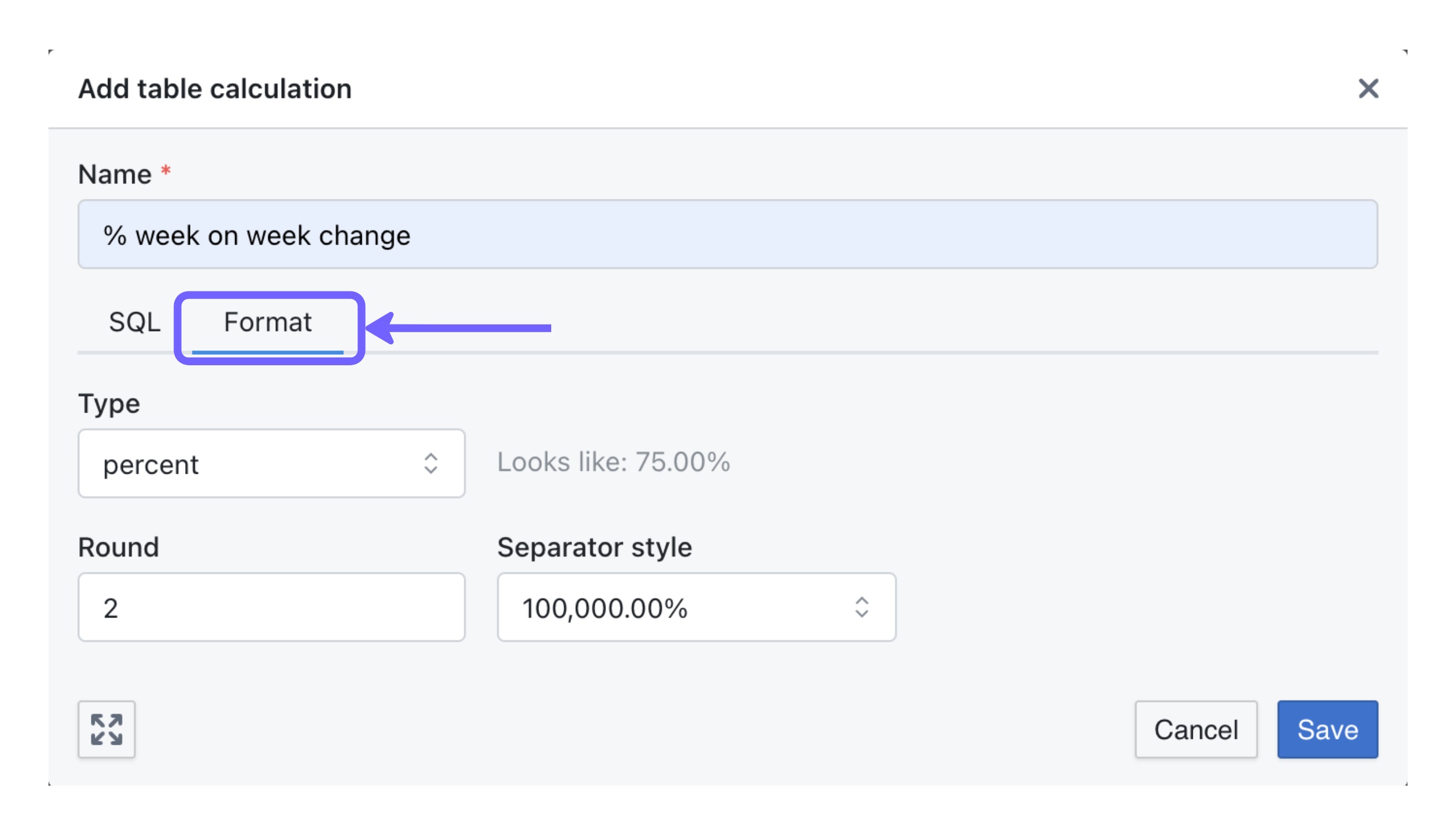
In the `format` tab, make sure to update the format to `percent` so that your table calculation is shown as a percentage value (instead of a number).
And here's the SQL used in the table calculation:
```sql
${orders.total_order_amount} /
SUM(${orders.total_order_amount}) OVER (
PARTITION BY
${orders.status}
)
```
In general, the SQL used for calculating the percent of the total has two important columns:
* `column_i_want_to_see_the_percent_of_total` - this is the column that you want to see the percent total of. In our example above, that was the `sum of profit`.
* `column_i_want_to_group_by` - this is the column that you want the total to be grouped by. In our example above, that was the `order date - week`.
### Here's the SQL you can copy-paste to calculate the percent of the group/pivot total
```sql
${table.column_i_want_to_see_the_percent_of_total} /
SUM(${table.column_i_want_to_see_the_percent_of_total}) OVER (
PARTITION BY
${table.column_i_want_to_group_by}
)
```
### Make sure to add percent formatting to your calculation
In the `format` tab, make sure to update the format to `percent` so that your table calculation is shown as a percentage value (instead of a number).